给 OpenClaw 装上长期记忆 —— PowerMem 1.0.0 正式发布
PowerMem 是什么?
大模型是无状态的,每轮对话都是一张白纸。全量上下文方案代价高:推理变慢,Token 成本线性增长,上下文越长模型对中间内容的注意力越差(中心衰减),回答质量反而下降。
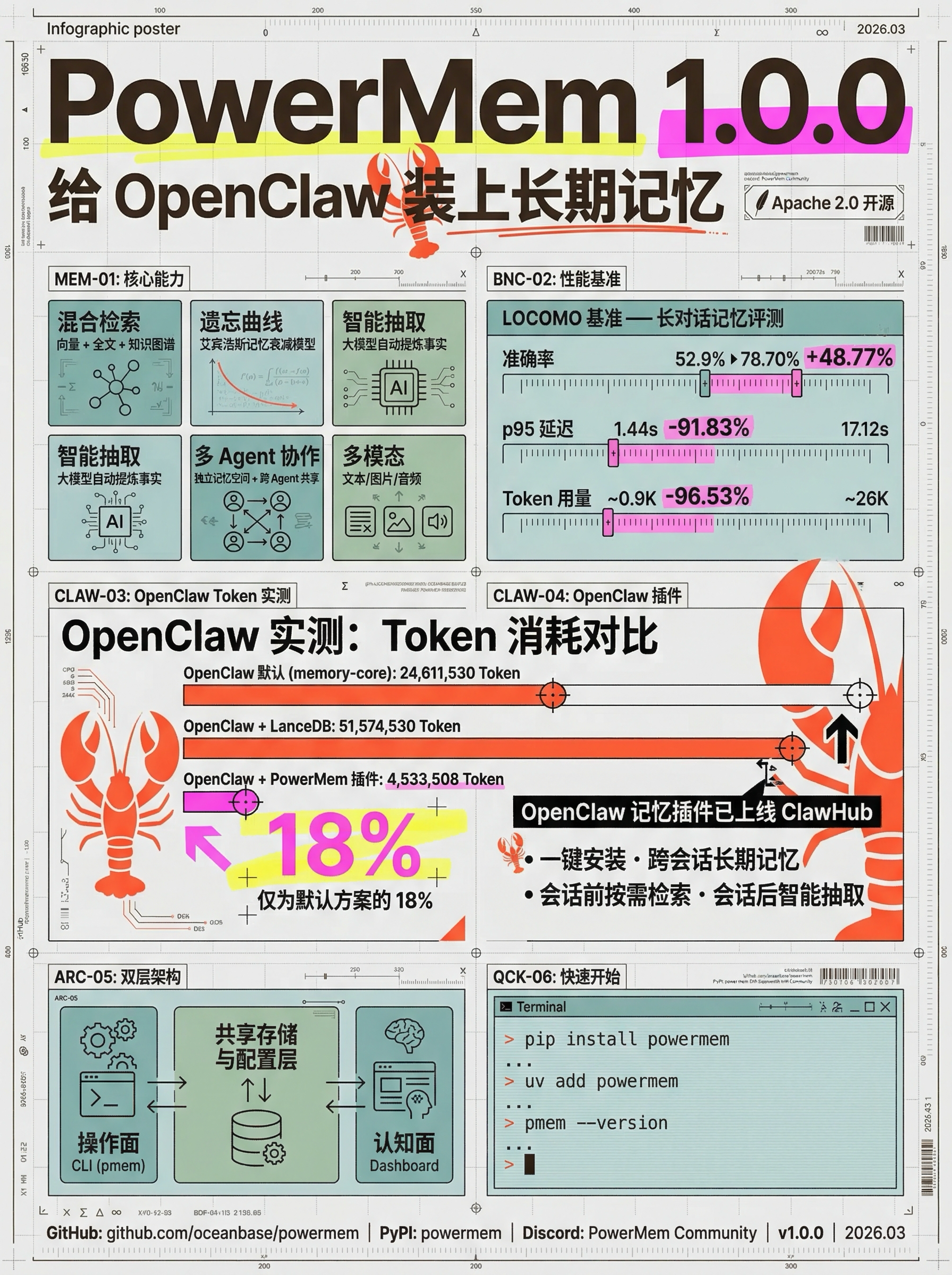
OceanBase PowerMem 是基于 Apache 2.0 协议的开源智能记忆系统,为 LLM 和多智能体应用提供持久化记忆层。它从对话中提炼关键事实并持久化,过时的自动遗忘,需要时精准召回。核心能力:
- 混合检索:向量、全文、知识图谱三路召回,语义描述和精确关键词都能命中
- 艾宾浩斯遗忘曲线:模拟人类遗忘规律,近期常用的优先,过时的自然淡出
- 智能记忆抽取:大模型自动从对话中提炼事实,去重、冲突更新、相关合并
- 多智能体支持:Agent 独立记忆空间 + 跨 Agent 共享协作
- 多模态:文本、图片、音频均可存储与检索
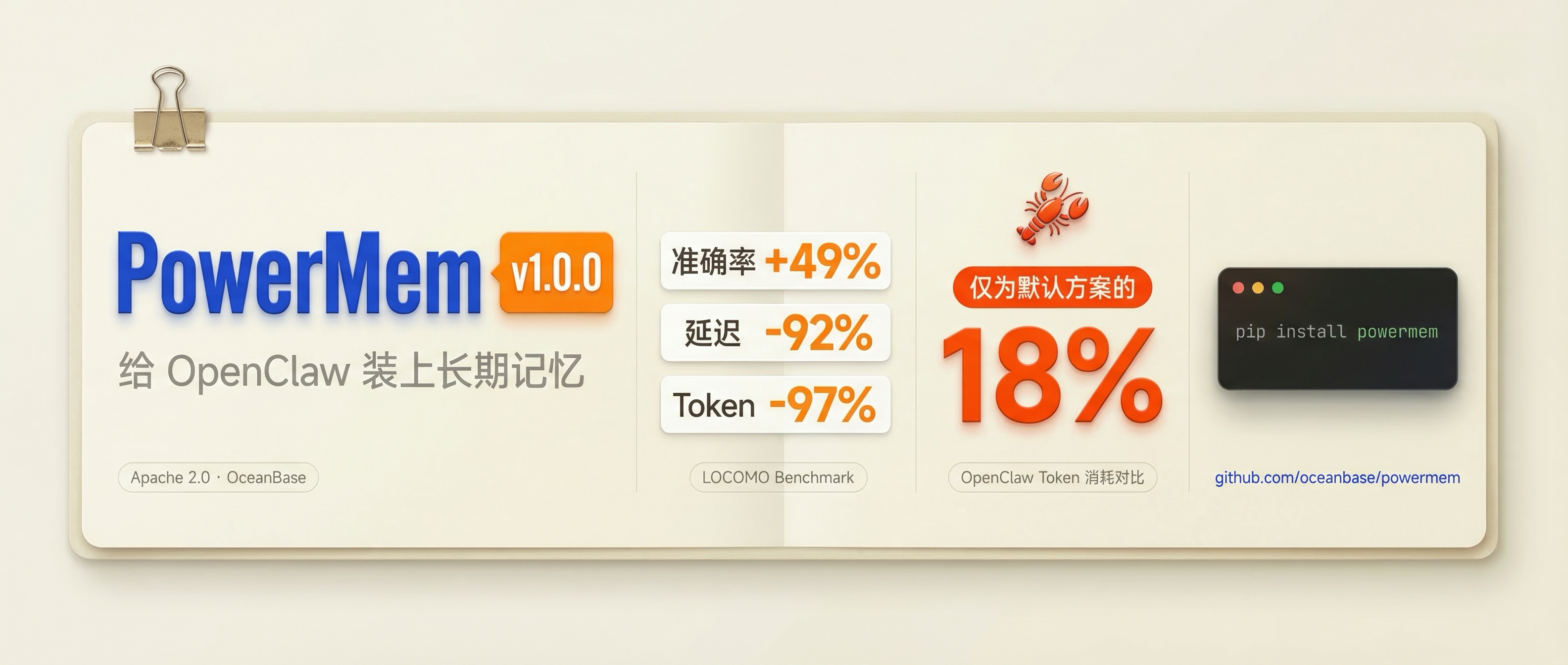
我们在 LOCOMO 基准(学术界用于衡量 AI 长对话记忆能力的标准数据集,模拟多轮长对话考察历史信息召回)上做了评测,PowerMem 对比全量上下文方案:
| 指标 | PowerMem | 全量上下文 | 提升 |
|---|---|---|---|
| 准确率 | 78.70% | 52.9% | +48.77% |
| p95 延迟 | 1.44s | 17.12s | 降低 91.83% |
| Token 用量 | ~0.9K | ~26K | 节省 96.53% |
落到真实场景验证:我们在 OpenClaw 上做了对比测试。OpenClaw 默认将整份 MEMORY.md 每轮送入 system_prompt,不做检索,内容随使用无限增长。PowerMem 插件替换了这一机制——会话前按需检索,会话后智能抽取,只将相关记忆放入上下文。
| 实验组 | 输入 Token 总量 |
|---|---|
| OpenClaw 默认(memory-core) | 24,611,530 |
| OpenClaw + LanceDB | 51,574,530 |
| OpenClaw + PowerMem 插件 | 4,533,508 |
同等任务下,PowerMem 插件的 Token 消耗仅为默认方案的 18%。
为什么发 1.0.0
v1.0.0 API 与集成方式正式定型,从「可用」进入「可落地」阶段。这个版本同时交付了两层能力:
- CLI(
pmem)作为操作面:人和 Agent 共用的执行入口,支持编排和脚本化 - Dashboard 作为认知面:记忆的可视化、分布分析与健康监控,把数据变成判断依据
Agent 需要低摩擦接入的操作面,人需要理解全局的认知面,两层同时存在产品才完整。这个分层背后的思考,我们下周专文展开。
OpenClaw 记忆插件已上线 ClawHub
我们为 OpenClaw 打造的 PowerMem 长期记忆插件 memory-powermem 已发布。安装后 OpenClaw 获得跨会话的长期记忆能力——会话前按需检索相关记忆注入上下文,会话后智能抽取关键事实落库,不再把整份 MEMORY.md 每轮塞进 system_prompt。
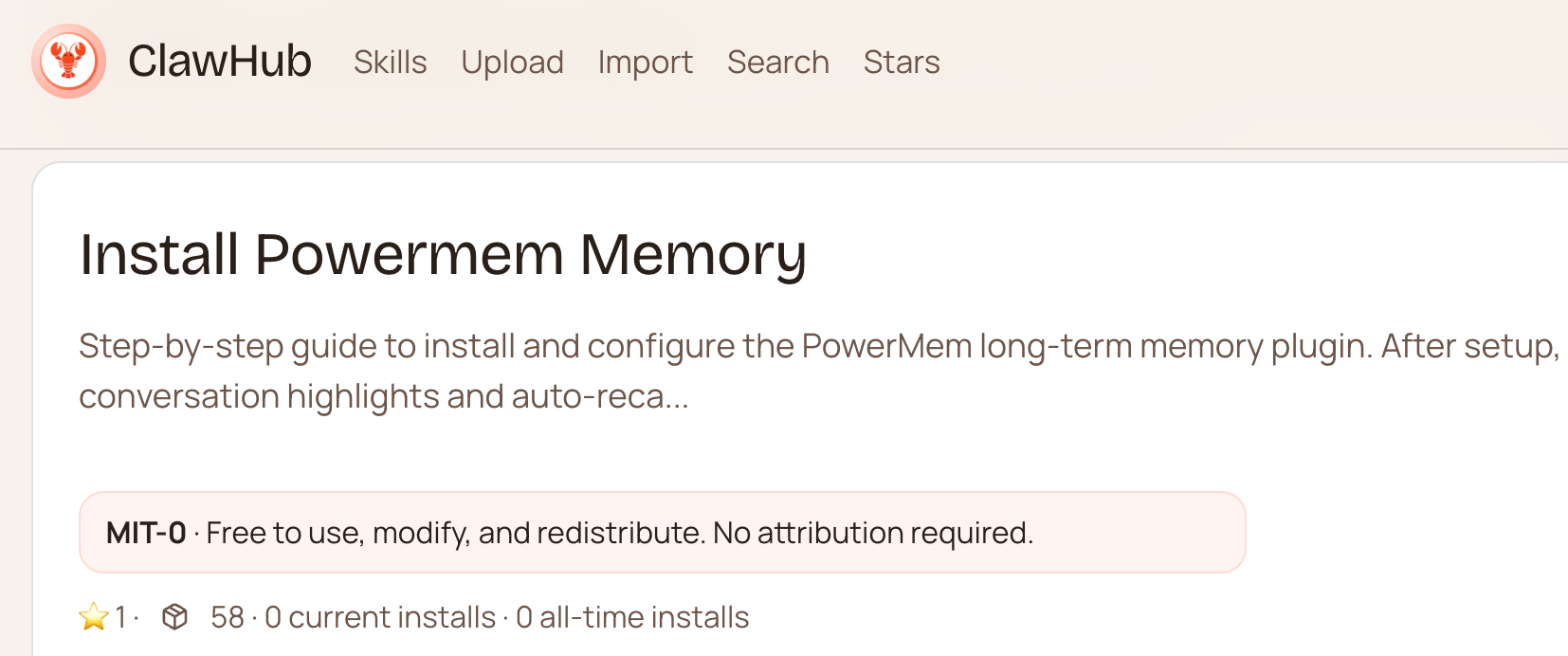
一键安装: 通过 ClawHub Skill 直接安装,OpenClaw 会自动完成插件下载、配置和槽位切换:
手动安装: 如需自行部署,三步完成:
- 安装并启动 PowerMem 服务:
1 | pip install powermem |
- 安装插件到 OpenClaw:
1 | openclaw plugins install memory-powermem |
- 修改 OpenClaw 配置(
~/.openclaw/openclaw.json),将 memory 槽位切换到本插件:
1 | { |
重启 OpenClaw Gateway 后执行 openclaw ltm health 确认连通即可。
插件的原理解析与完整配置指南,下周专文发布。
v1.0.0 新内容一览
操作面:CLI(pmem)
CLI 与 SDK、HTTP API 共用同一套配置(.env)和存储,是 Agent 与脚本的编排入口。
1 | pip install powermem # 或 uv add powermem |
完整命令覆盖 memory(增删改查)、config(查看/校验/测试/初始化)、stats(统计)、manage(备份/恢复/清理/迁移)、shell(交互式 REPL),支持 bash/zsh/fish 补全。详见 CLI 使用指南。
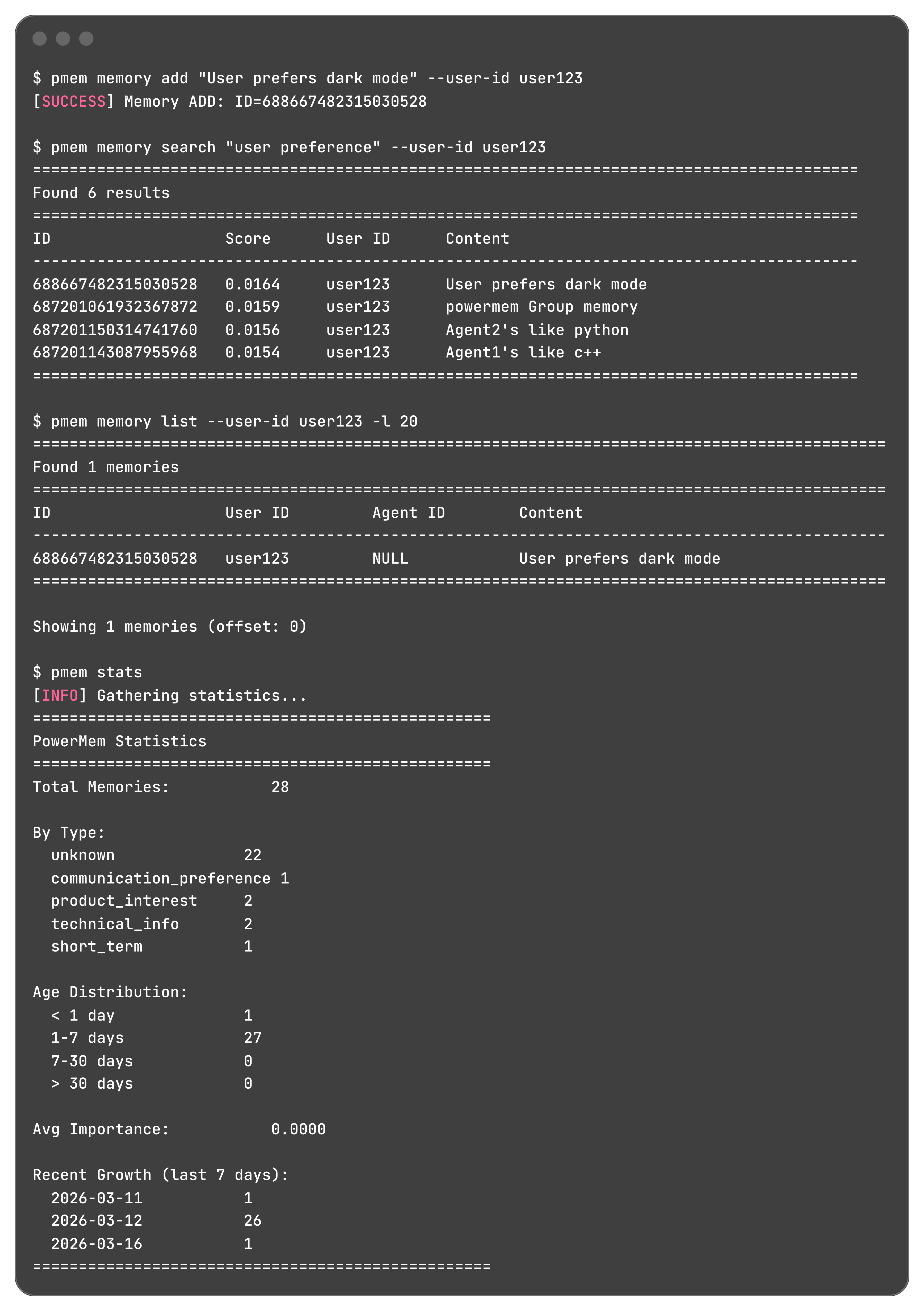
认知面:Dashboard
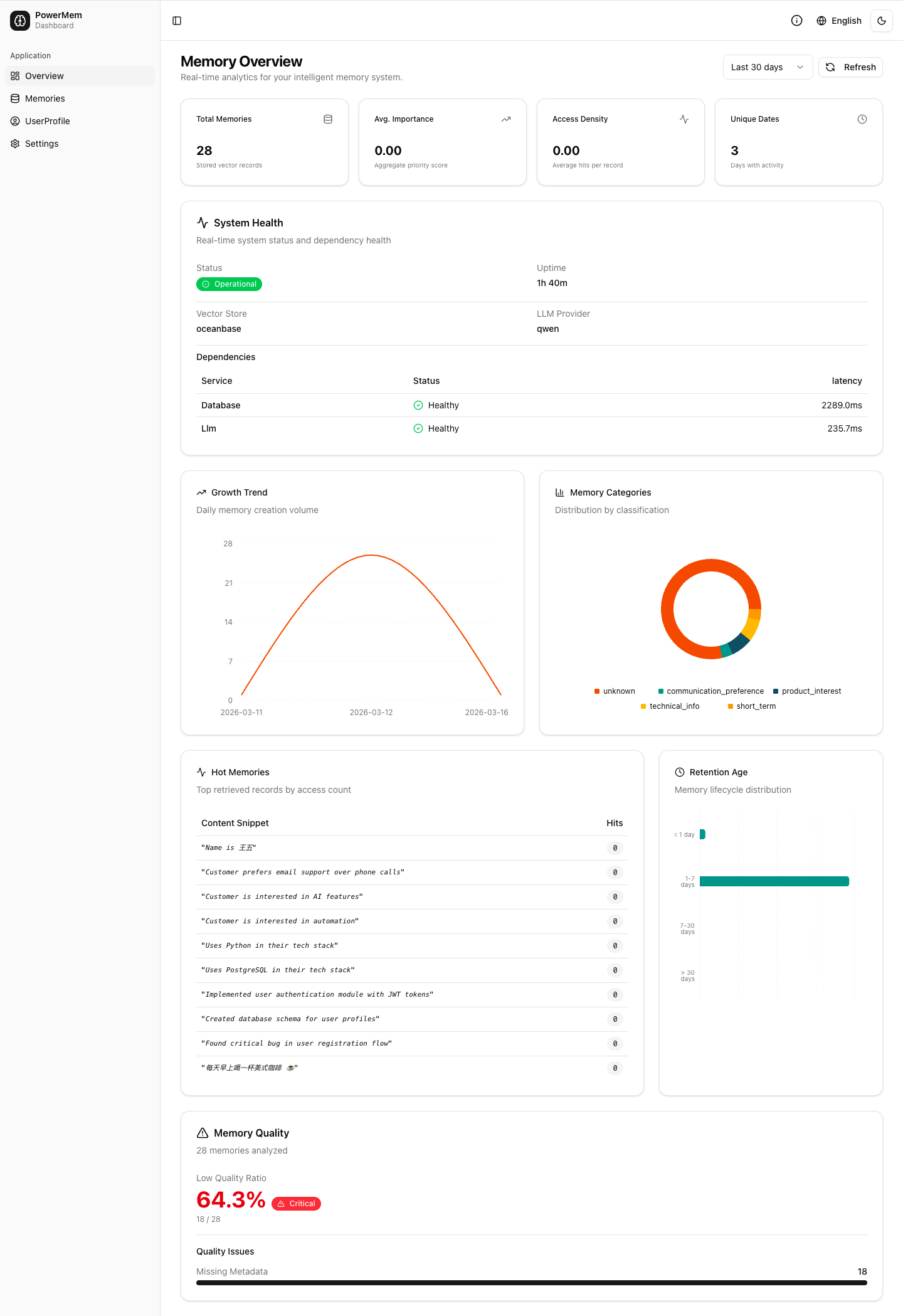
基于同一套 HTTP API 的 Web 可视化界面,查看记忆数量、用户/Agent/类型分布及系统健康状态。v1.0.0 做了多项修复与体验优化。
1 | powermem-server --host 0.0.0.0 --port 8000 |
多种接入方式
v1.0.0 提供五种接入方式,共用同一套配置与存储:
Python SDK(三行起步):
1 | from powermem import Memory, auto_config |
CLI:终端直接操作,脚本化和 Agent 编排首选
HTTP API:RESTful + Swagger 文档 + API Key 鉴权,面向任意语言
MCP Server:支持 Model Context Protocol,Claude Desktop 等 MCP 客户端直接读写记忆
Dashboard:Web 可视化,记忆统计与分析
立即体验
1 | pip install -U powermem |
- GitHub:github.com/oceanbase/powermem
- PyPI:pypi.org/project/powermem
- Discord:加入社区
- Issues / Discussions:反馈与交流
OceanBase PowerMem 团队
2026.3